
Why Can't I Login to Report Toaster?
As a 3rd party app for the Shopify app store, Report Toaster is accessed and authenticated through the Shopify admin.
This means that:
We don't store any passwords, security questions, or any other login credentials for your Shopify account.
We are therefore unable to access, change, or reset any of the credentials for your Shopify account.
In short, if you are having any issues logging into your Shopify account, you will need to contact Shopify's customer service team for further assistance.
Login
To login to your Shopify admin, use this URL with your Shopify domain:
https://[your shopify domain].myshopify.com/admin
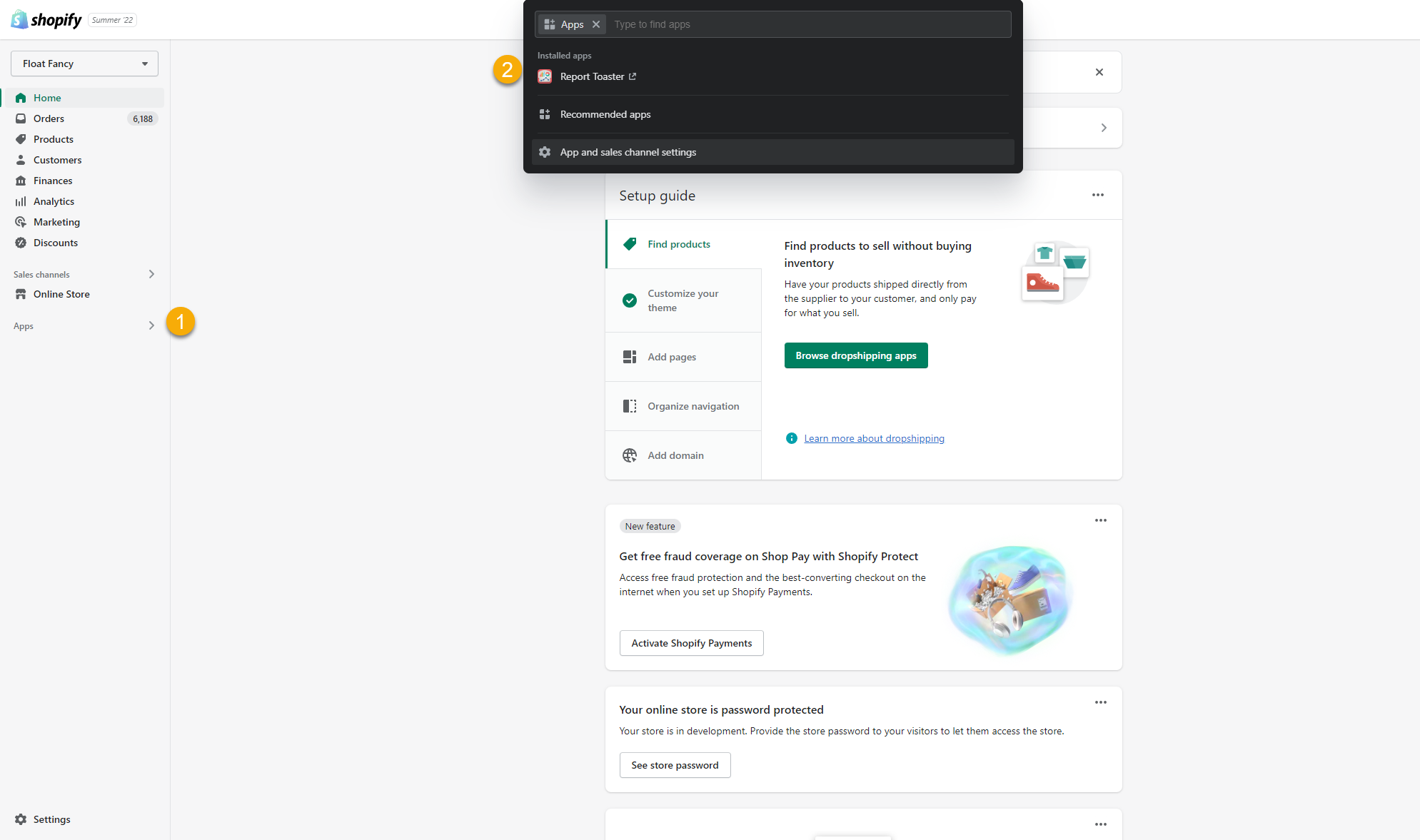
Once logged into the Shopify admin, choose Apps from the left-hand menu (1) and then click on Report Toaster (2) from the dropdown to access the app:
(click image to enlarge)
Once you have successfully authenticated, then your screen should look something like this:
(click image to enlarge)
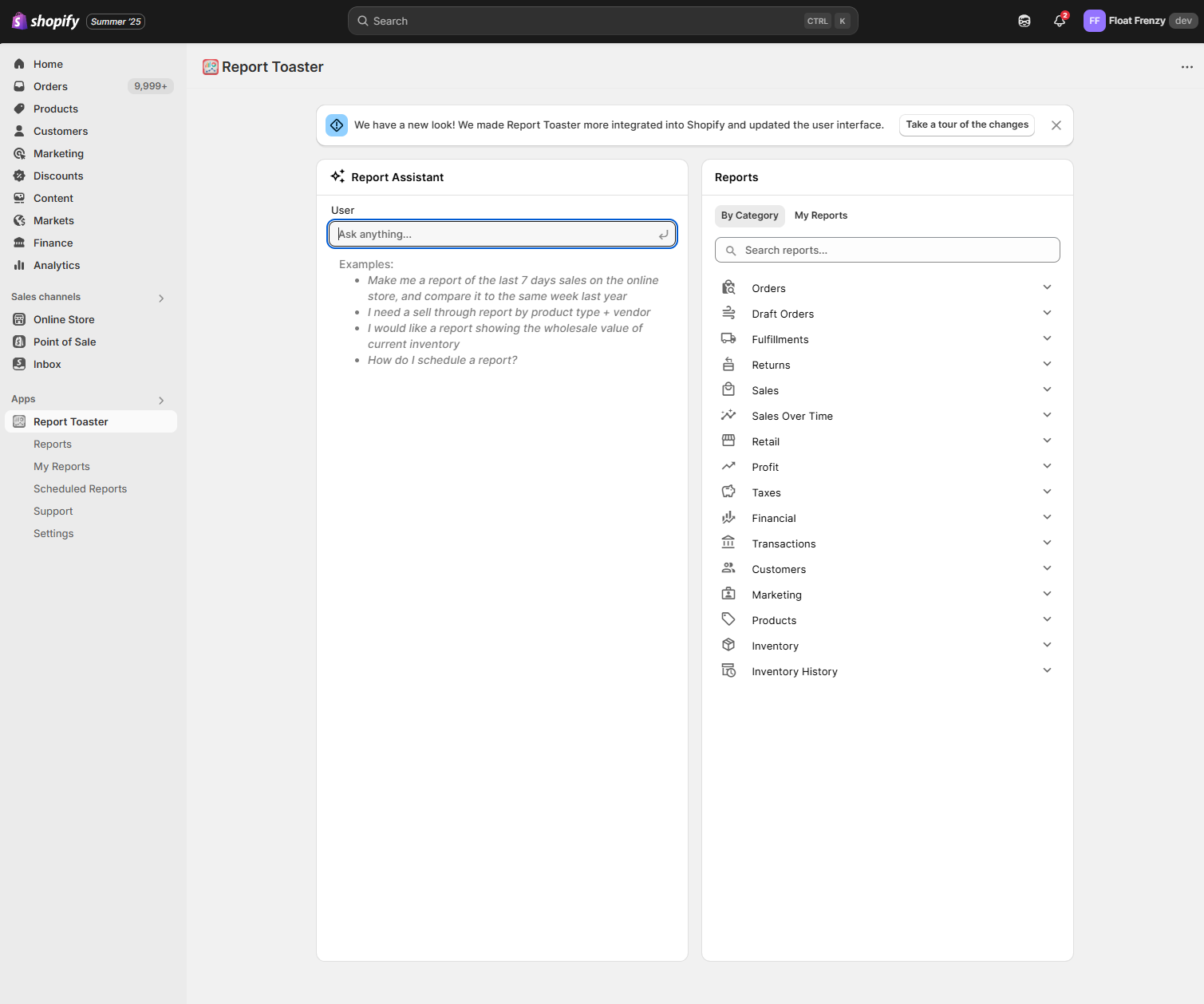
Congratulations!
Multiple Users/Permissions
If your storefront has multiple staff members and some are having trouble accessing the app, then you need to make sure that every staff member has the necessary app permissions.
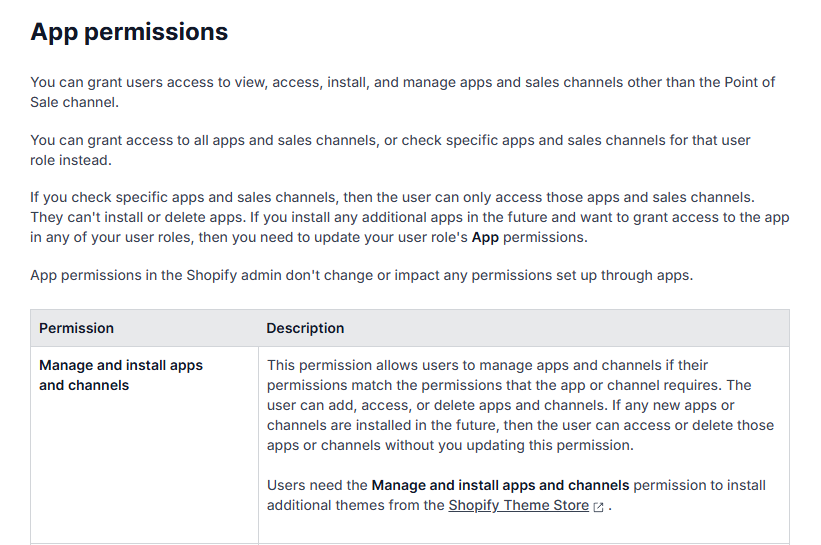
(click image to enlarge)
To do this, login to your Shopify store, go to Settings (bottom left), Users and Permissions, and click on the staff member in question.
From there, scroll down to this section and this permission should be checked.
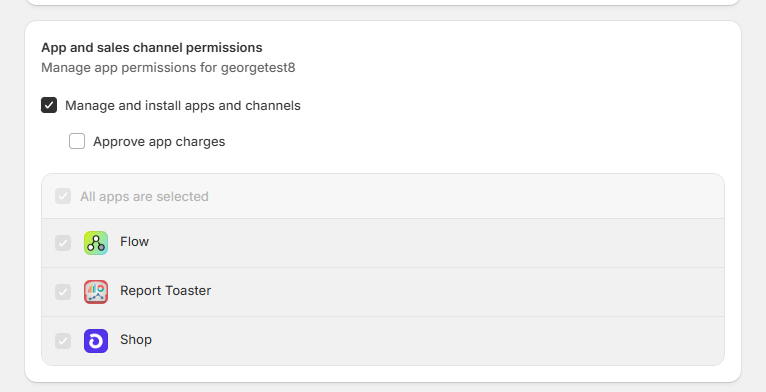
(click image to enlarge)
Alternatively, if you only check specific apps, then make sure Report Toaster is checked for all users.
Multiple Accounts
For Shopify store owners with multiple accounts under the same login details, this next step is an easy thing to overlook (but no less essential).
A Report Toaster installation is linked to whichever store you were logged into when you installed the app.
As a result, you will have to make sure you are logged into the correct storefront at the top right before trying to navigate to Report Toaster in the apps section:
(click image to enlarge)
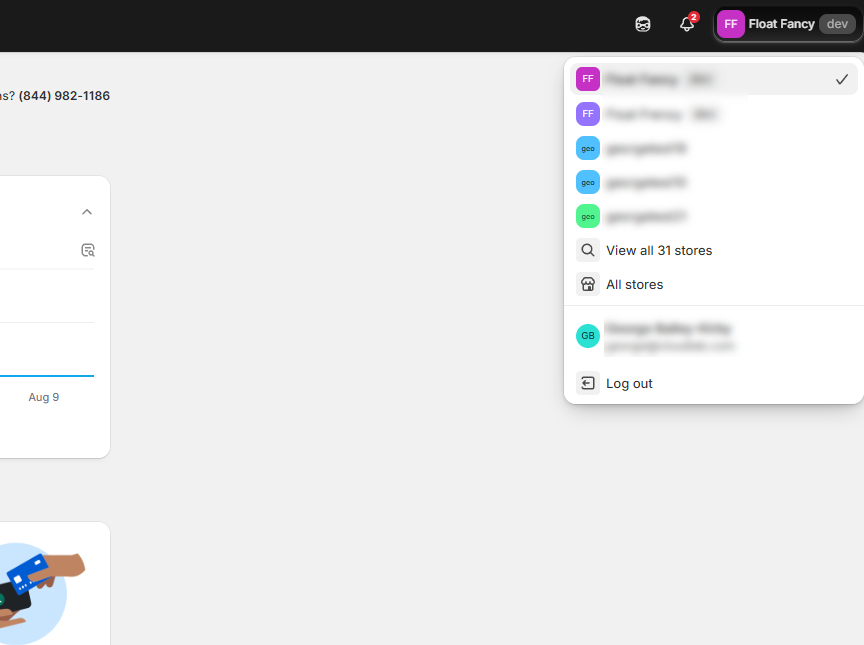
This may be easy to catch if the app is only installed on one store (because Report Toaster won't appear under the Apps section of another store).
But if you are running the app on both storefronts, or you're trying to follow a direct link for a report in one store (without realizing you are currently logged into the other), it's easy to overlook.
Always access your Report Toaster directly from the Shopify admin to make sure you are logged into the correct account.
Technical Issues
As with any application, Report Toaster may rarely experience technical difficulties.
If you're having trouble accessing the app, please check out the status page here to see if there are any current ongoing issues.
You can also find a link to this page at the bottom of our knowledge base:
(click image to enlarge)

We endeavor to resolve any issues as quickly as possible and apologize for any inconvenience this may cause.
Bookmarks
One final note is that because the account is authenticated via Shopify, you won't be able to bookmark a direct link to the app in your browser.
Our recommendation is that you instead bookmark a link to your Shopify admin page (e.g. https://[your shopify domain].myshopify.com/admin) and then access the app via the process outlined above.
For more information about using Report Toaster, check out our FAQ or reach out to us at any time :)