
How Do I Export/Print a Report?
Another entry in our 'Basics' series, this article will cover all your options for exporting a report in Report Toaster.
Video more your thing? Check out the video version of this guide here.
For instance, say I wanted to save a copy of this report to my desktop?
Or get a version of the data to Excel so I can add formulas, graphs and so on?
Or send somebody a clean PDF version of the data for visual presentation?
We'll start with the Order Line Items report like so:
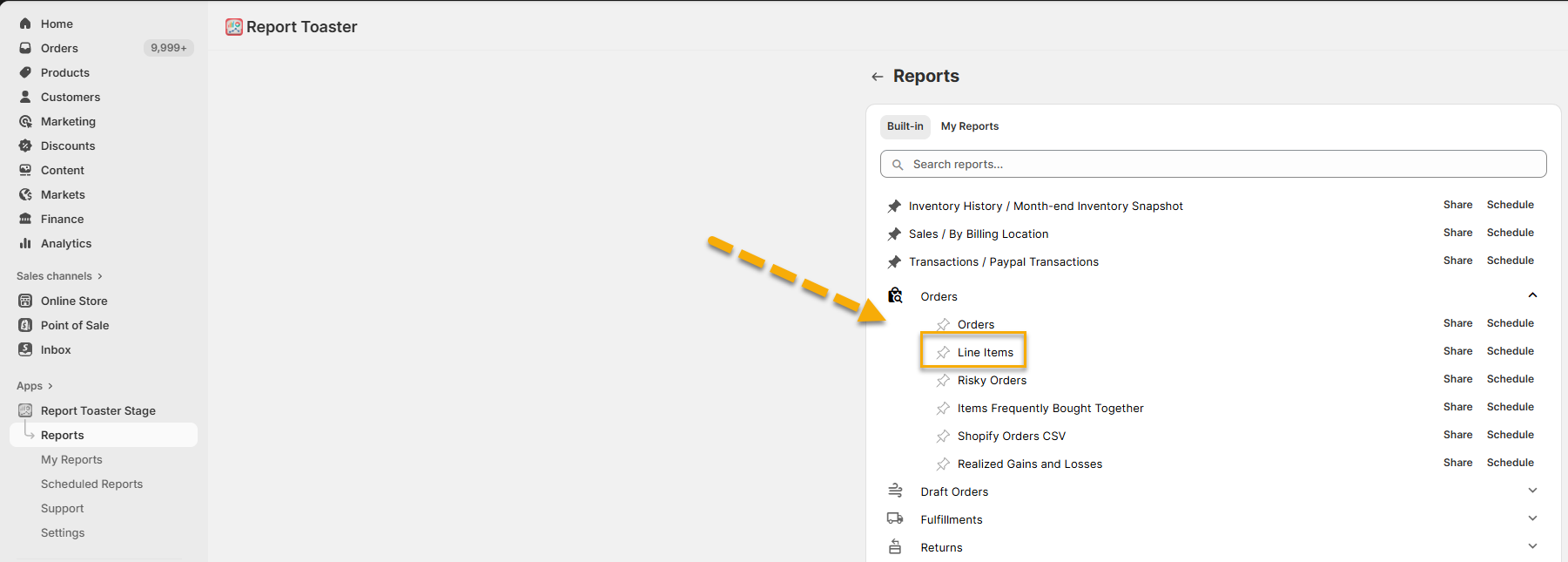
(click image to enlarge)
This feature is available on all Paid Plans of Report Toaster. If you aren't signed up, you can upgrade via the Shopify app listing here.
Exporting the Data
Once you're happy with the way the report looks (adjusting the date, columns, filters, sorting etc), you're ready to download a copy of this report to your device.
Note - It might be a good idea to save a copy of this report to your My Reports so you can access it again later.
Go to the report, click the Export/Save As button in the top right, and choose either PDF, CSV, or JSON.
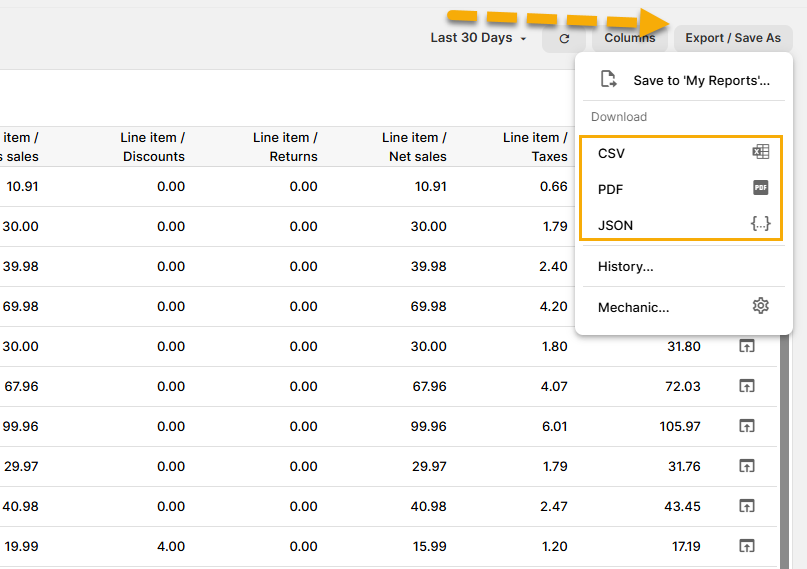
(click image to enlarge)
Clicking on any of these will automatically download the report in the chosen format to your device. Each option is explained below.
CSV
This is your standard .csv format used by programs like Microsoft Excel to get a spreadsheet of your data.
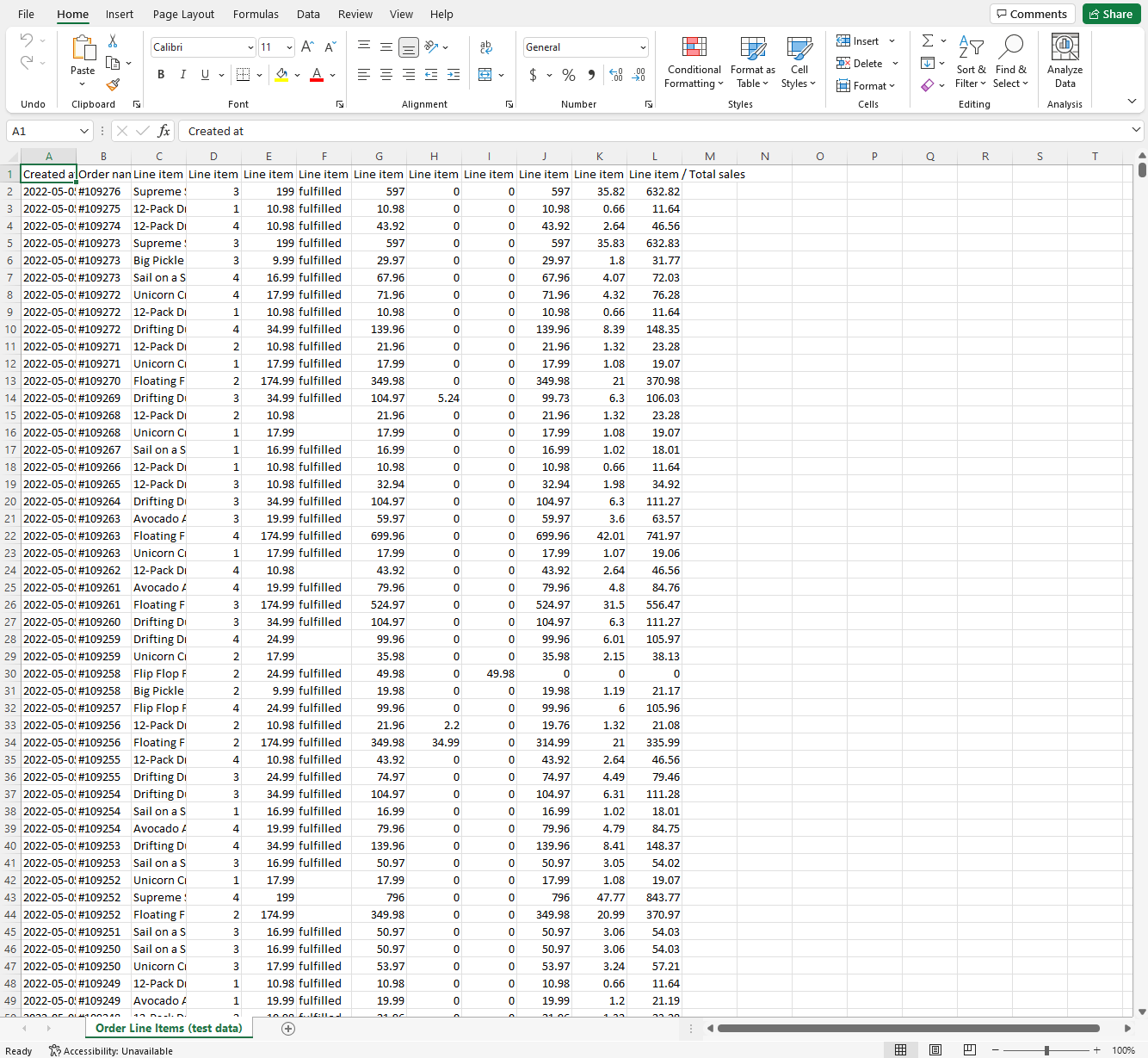
(click image to enlarge)
This is very useful if you want to use Excel functionality to further analyze the data, such as creating charts, formulas, averages, totals, and more.
CSV is also great if you need to move data into other tools like Google Sheets.
Sometimes, certain characters can become garbled when exporting to CSV/Excel (particularly for certain languages like Japanese or Arabic). This is a known issue with Excel and can be resolved with encoding settings - see this guide here.
This format is used for programs like Adobe Reader and anything that uses .pdf files.
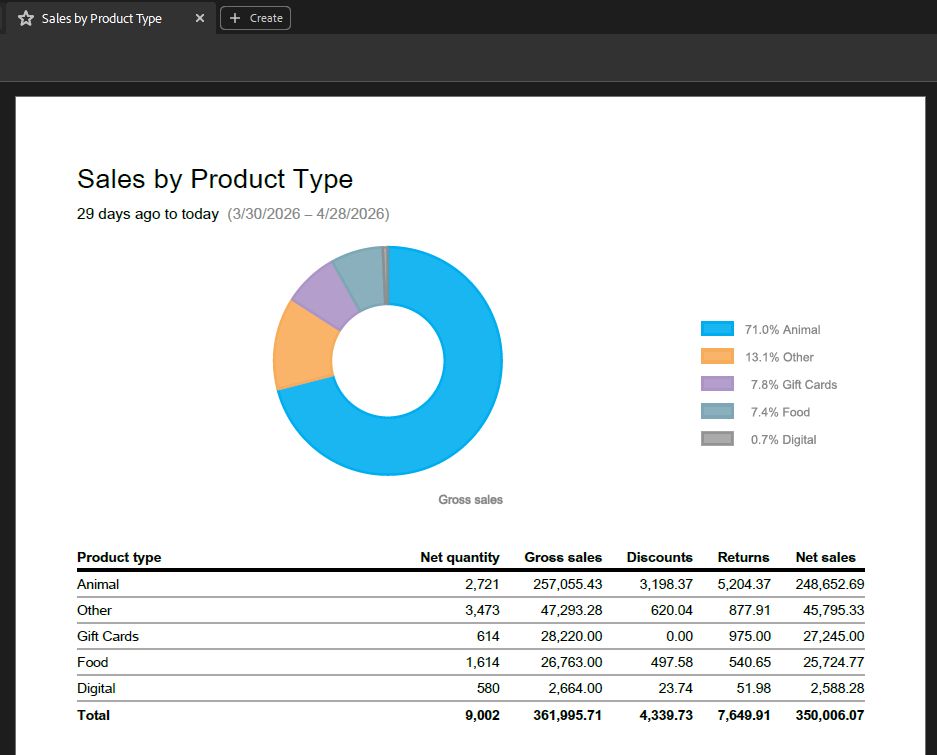
(click image to enlarge)
This is a good option for smaller data sets or when you want a more polished, presentation-ready document.
However, for larger datasets or if you need to manipulate the data, CSV is usually the better option.
For example, exporting 30 days of Order Line Items could produce a very large PDF, whereas a summary report may only be a single page.
JSON
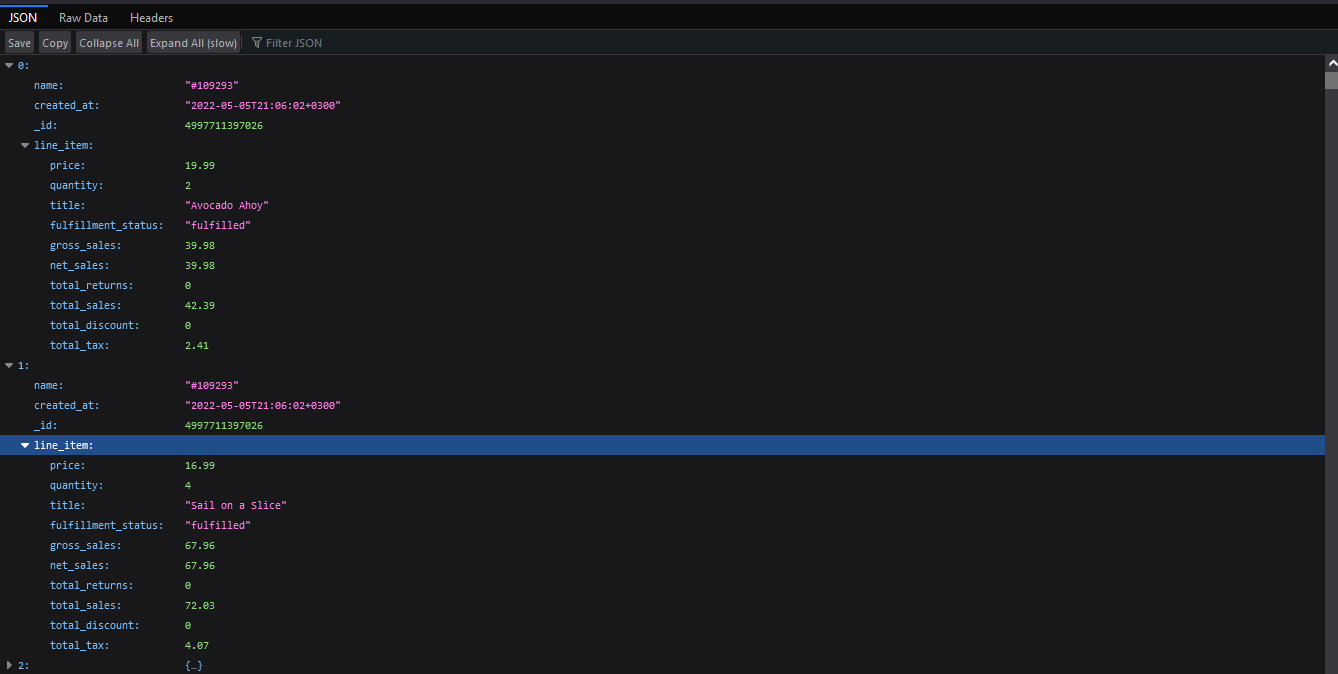
JSON is a structured, text-based format commonly used in programming and integrations.
It's useful if you need the raw data for use in other applications or systems.
This file can be opened in most browsers or developer tools:
(click image to enlarge)
For most users, JSON won’t be used regularly, but it can be helpful for accessing the underlying data structure.
And that's it!
For other articles in our Basic Guides series, check out our main section here.