
Premium Report - Sales by Attributed Staff
Sales by Attributed Staff
This report is used to see which Sales are attributed to which Staff member at your POS location(s)
This is particularly useful if you're tracking commissions or you simply need to know who was handling the sale (rather than simply who was logged into the POS - for which you can use the regular Sales by Staff report)
From this report, you can see the total key sales figures (Orders, Gross/Net/Total Sales, etc) for the Last 30 days with a breakdown by each Staff ID.
As Premium Reports, these are available on all Paid Plans of Report Toaster. If you aren't signed up, follow these steps here to upgrade your account.
Due to privacy restrictions, Shopify only makes the Staff ID (rather than the Staff Name) available to third party apps.
If you'd like to provide us with a list of which IDs correspond to which names (see this article) we can easily set this up for you with a custom field.
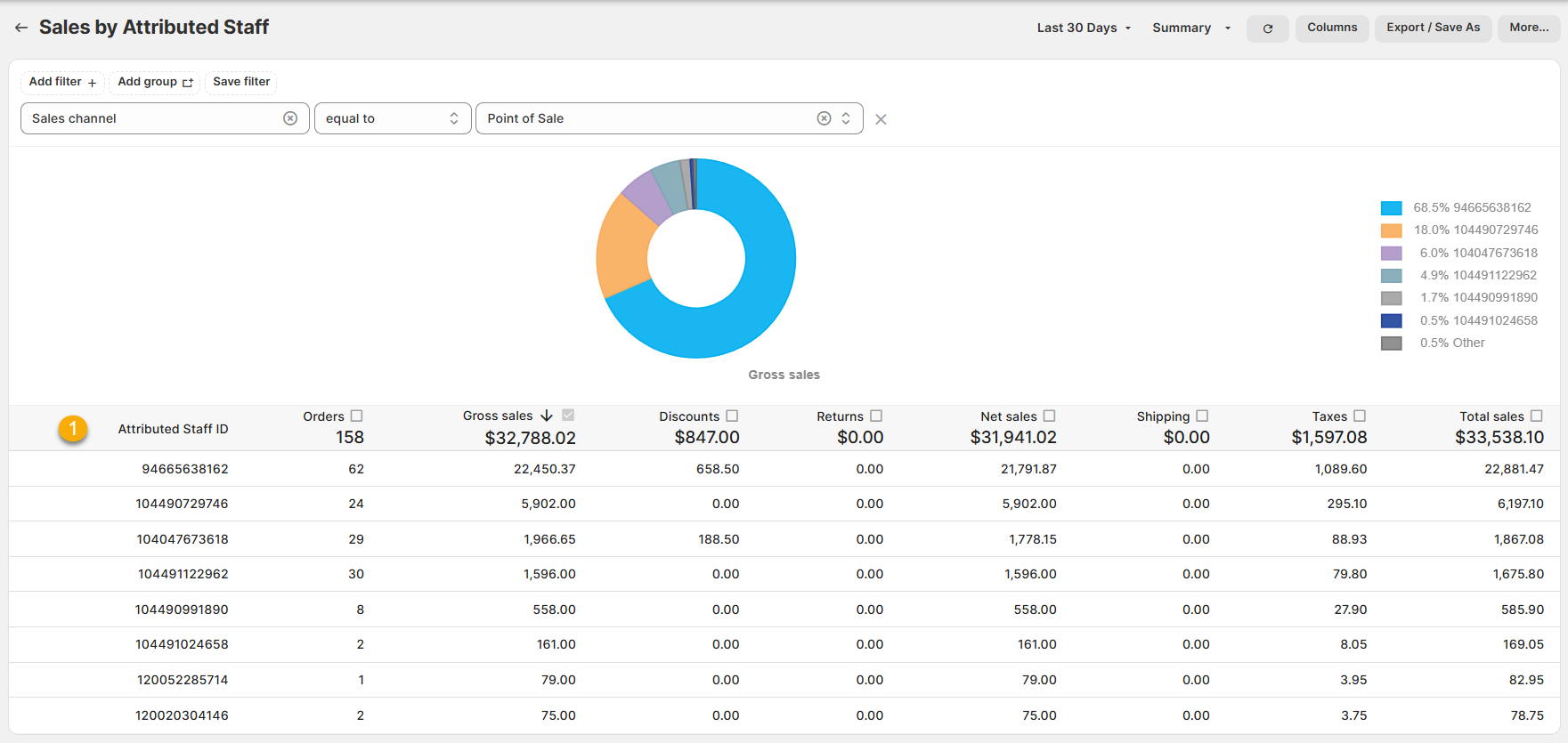
(click image to enlarge)
Here is what you need to be familiar with to understand Sales by Attributed Staff:
1.) Attributed Staff:
The ID number for the member of your Staff who was handling the sale.
For example, if a customer placed an order at my POS and John (ID 94555638162) handled the sale, then even if Kerry (ID 104490729746) was the person logged into the terminal, John would be correctly attributed to the sale and thus easily trackable for commission purposes.
Like all Report Toaster reports, these reports are fully customizable - so you can adjust the date range, add/remove columns, introduce a filter or change the sort to suit your individual needs. See our basic guides here for more info.
For other premium reports you can add to your account, check out our other article guides here.