
Premium Reports - Shopify Bundles
Shopify Bundles
Much like our reports for Simple Bundles (which you can read about in more detail here), we're able to Shopify Bundles customers two reports that make it easier to track their bundle sales.
These reports are split into the following - Shopify Bundle Sales Over Time (for a monthly overview) and Top Selling Shopify Bundles (for a breakdown by each individual bundle)
As Premium Reports, these are available on all Paid Plans of Report Toaster. If you aren't signed up, follow these steps to upgrade your account.
Note - These reports are designed specifically for customers using Shopify Bundles and thus require an installation of that app to utilize.
Please contact us at [email protected] and we can add these reports to your account.
Let's take a look!
Shopify Bundle Sales Over Time
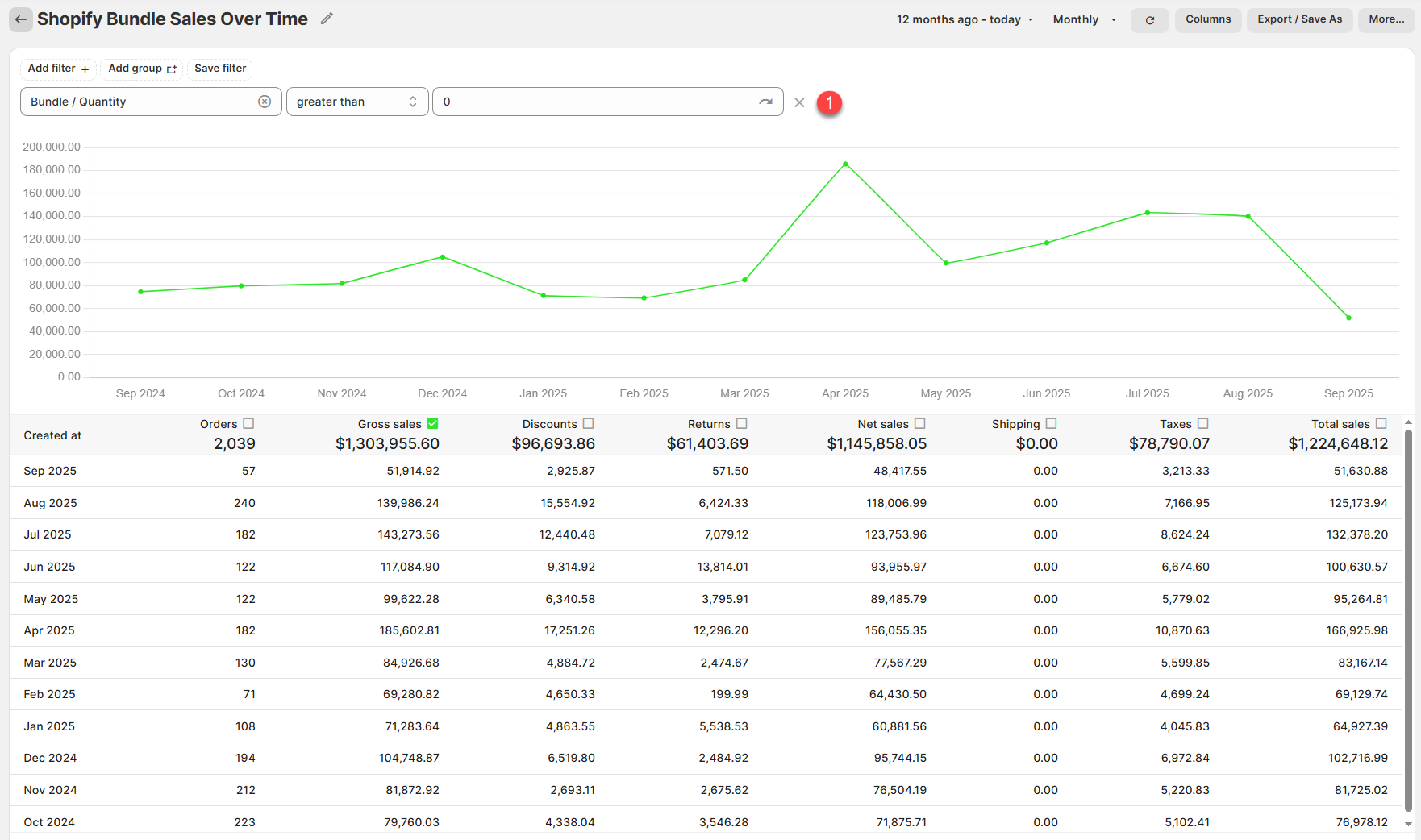
Like our Sales Summary report, this provides you with your monthly totals for sales of any Shopify Bundle Products.
(click image to enlarge)
All of the Sales numbers are exactly the same as our 30 day Summary report (see here for a list of these common definitions) but the key part of this report is the custom field in the filter:
1.) Bundle/Quantity (FILTER): Whether the order has at least one Shopify Bundle Product (quantity >0).
For example, 57 orders in September 2025 had a Shopify Bundle product on them.
Top Selling Shopify Bundles
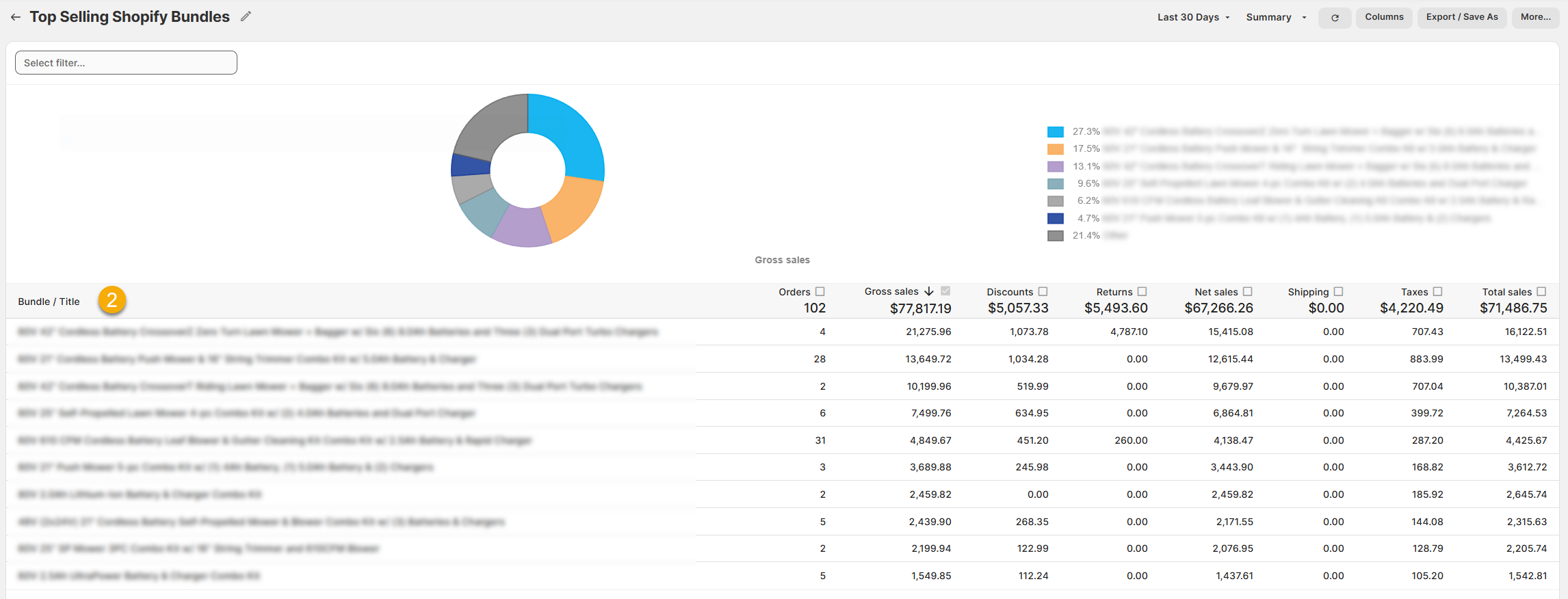
This report works much like our Sales by Product reports, showing you the sales of each of your bundles and sorting them from high to low.
(click image to enlarge)
2.) Bundle/Title: The name of the Shopify Bundle. This is identified via the Bundle Name in the Shopify Bundles app.
For example, if my bundle was called Floaty Fun Bulkpack, and I had 28 Orders with that bundle in it in the Last 30 days, then that's what would display in the corresponding row.
Note that we also have a couple of other fields - Bundle/Variant ID and Bundle/Variant SKU.
These are available as filters and can be used on a report to narrow down the results accordingly. See our main guide on filters for further details.
Like all Report Toaster reports, these reports are fully customizable - so you can adjust the date range, add/remove columns, introduce a filter or change the sort to suit your individual needs. See our basic guides here for more info.
For other premium reports you can add to your account, check out our other article guides here.