
Whats New? - August 2025
Summer may be over, but this month Report Toaster has been updated to become an embedded app directly in Shopify!
Let's take a look.
New Interface
First, let's get this out of the way nice and early:
This is primarily a visual update.
What this means is that all of your data, custom fields, saved reports, etc, will work exactly the same as they did before. Phew!
However, there are a few changes to review (especially in terms of navigation), so let's go over them.
Main Changes
Homepage
First, a few updates to our homepage:
(click image to enlarge)
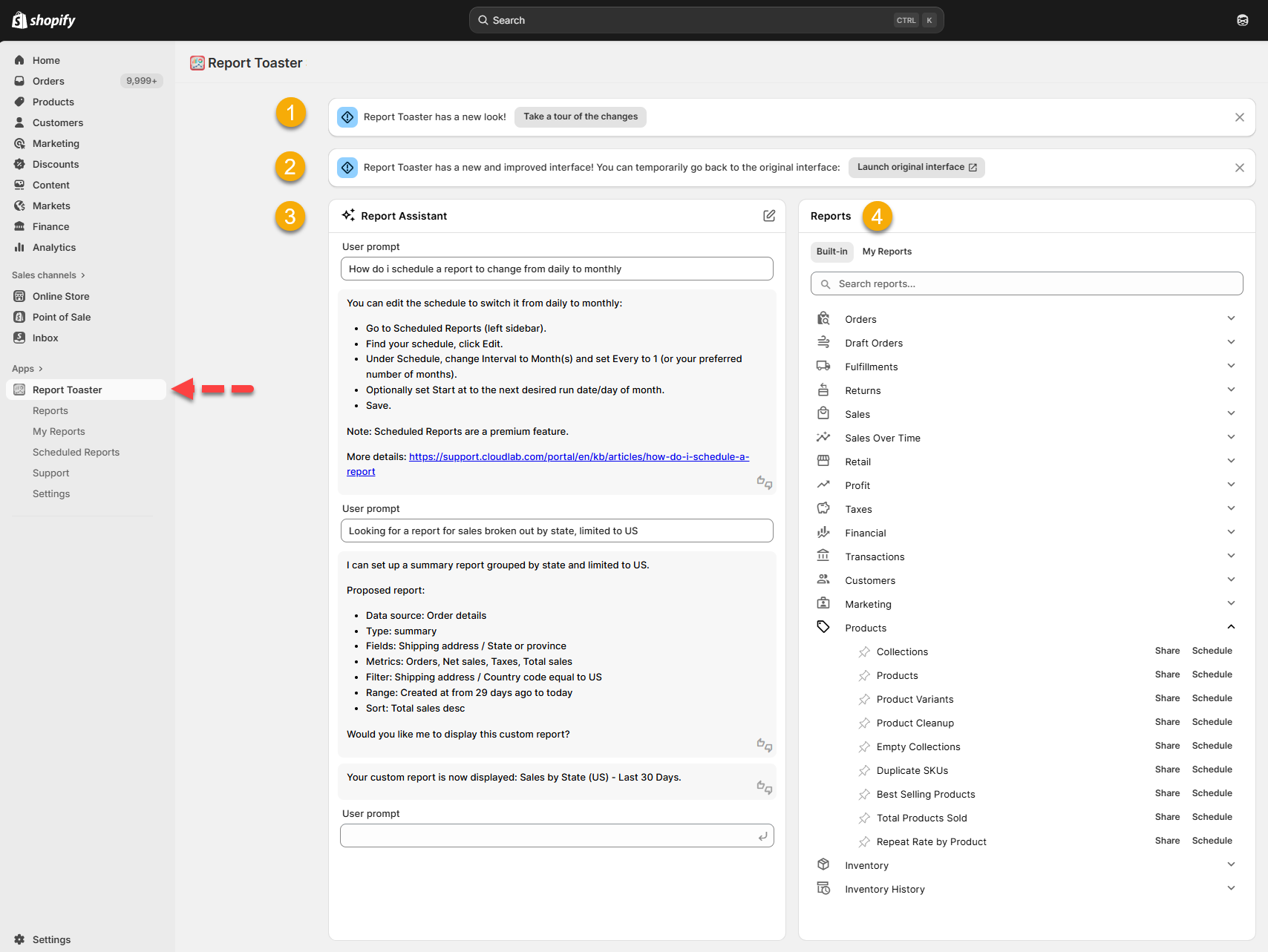
At the top, you'll notice a quick tour of the app. This is great to familiarize yourself and help navigate the changes.
Under that is our option to revert to the original interface of Report Toaster (just in case).
To the left is the AI Report Assistant. You can ask this to create or adjust reports and answer general questions about Report Toaster. If needed, you can also create a ticket from these conversations.
To the right are Reports, which are divided into two sections. Both of these are also accessible from the Reports and My Reports sections in the left-hand menu.
Built-in reports (the existing templates that you can adjust to make custom reports).
My Reports (any previously saved custom reports).
Any notifications about your account (e.g. days remaining in trial or if your account has expired) will still appear at the top.
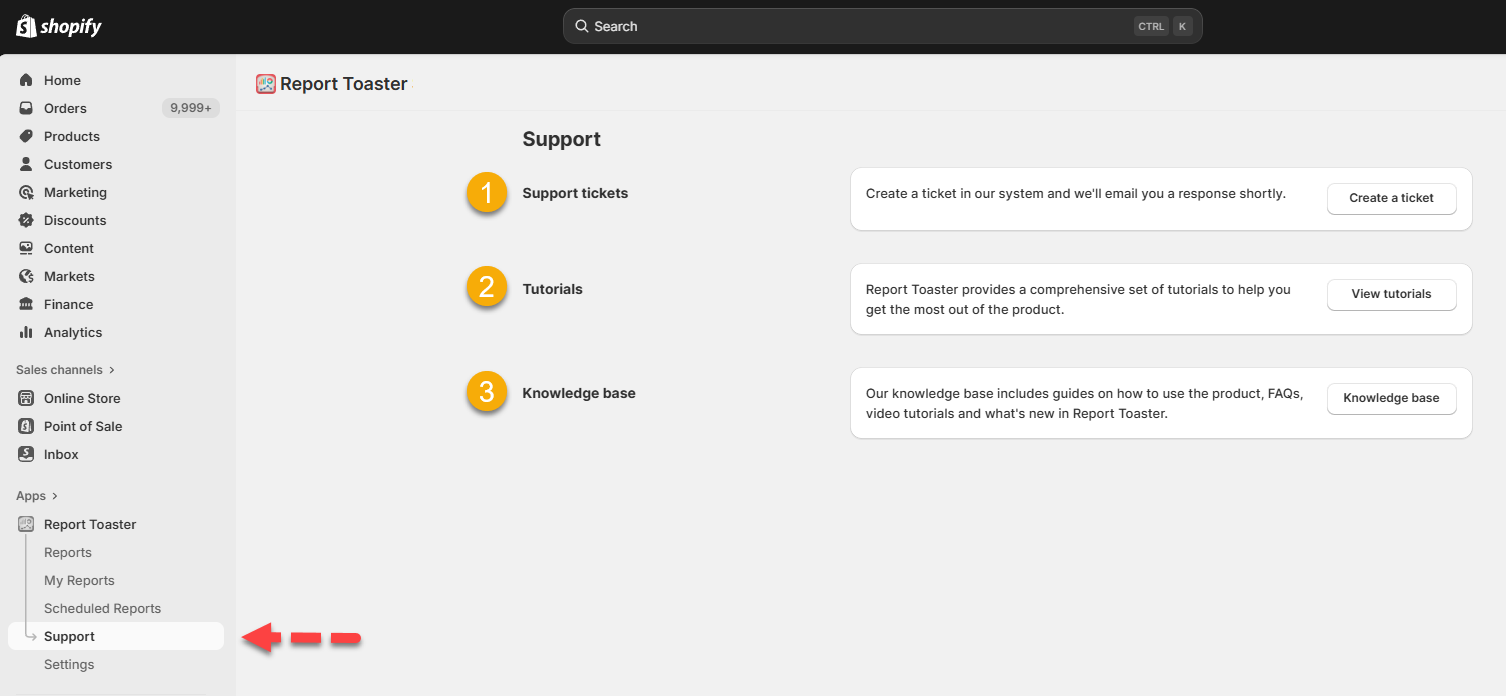
Support Page
This menu includes everything from the old help menu (question mark icon, top right) and links to the guides that were formerly on our homepage.
(click image to enlarge)
Under Support tickets, click Create a ticket to contact our team (this is the same as emailing [email protected]). The more details you can provide, the better (including screenshots).
Under Tutorials, you can access all our basic guides, including how to change dates, add/remove columns, create filters, change sorting, or export reports.
Under Knowledge base, you can access all of our help docs, including videos and this What's New series.
Settings
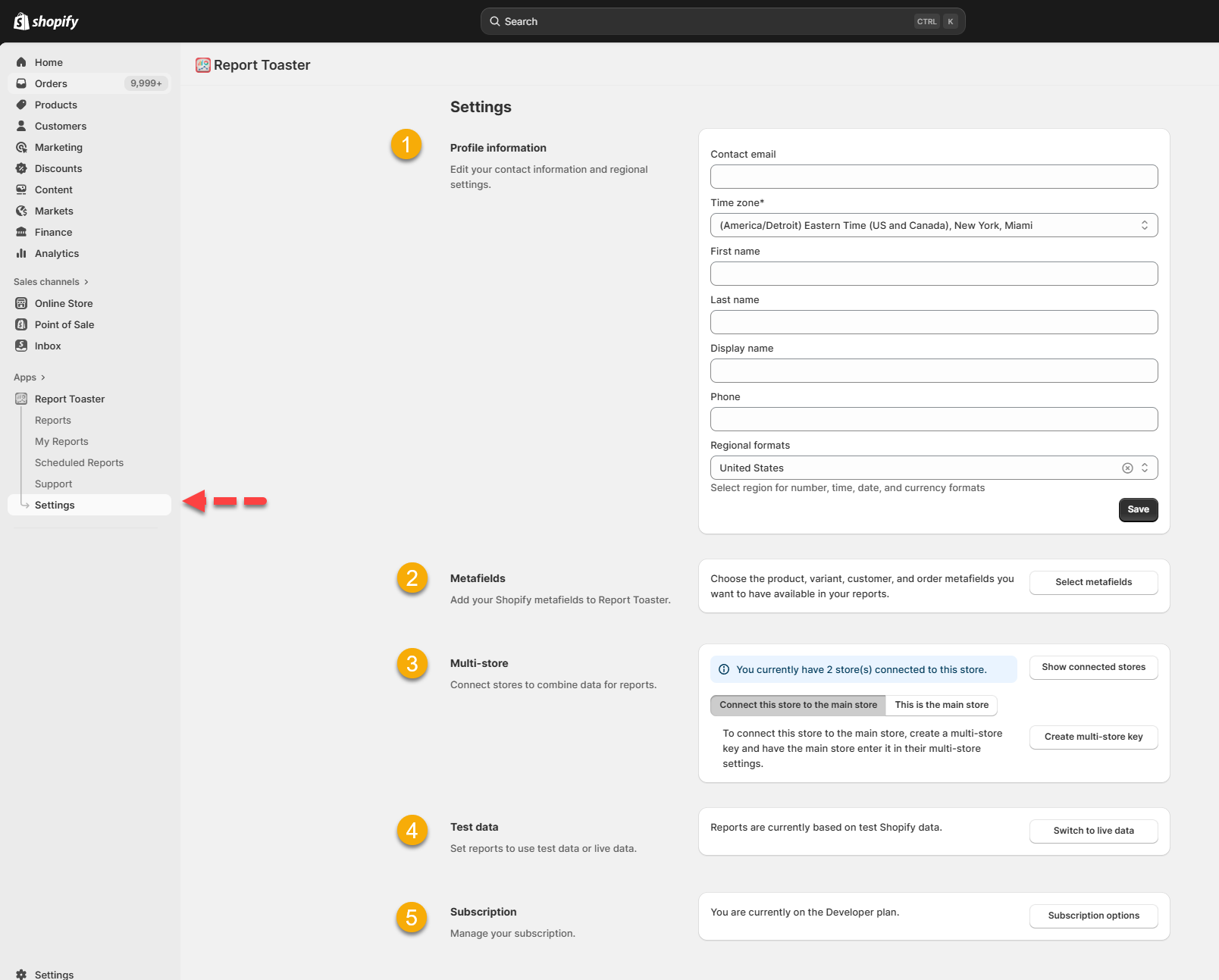
This menu includes everything under the old profile menu (profile icon, top right) as well as a few new features.
(click image to enlarge)
Under Profile information, you can adjust your contact information and regional settings, including timezone and formats. See here.
Under Metafields, you can choose which metafields to add or remove. See here.
Under Multi-store, you can connect multiple Shopify accounts together and combine their data. See here.
Under Test data, you can toggle between live and test data. See here.
Under Subscription, you can view your plan and upgrade options. See here.
The Dark Mode option is not compatible with the Shopify interface, so it has been removed.
Other Changes
Finally, just some quick smaller improvements (mostly visual or usability enhancements):
Shared links can now be locked to read-only for easier external sharing. See here.
Share Link and Schedule buttons are now clearly visible on both Built-in and My Reports.
Add Filter, Add Group, and Saved Filter are now labeled buttons instead of icons.
Boolean filters are now checkboxes instead of toggles.
Custom fields appear under their own header in the filter dropdown (like Saved Filters).
AND/OR filter options appear after adding a second filter.
Metrics Filters are now accessed via a Metrics button (top right).
You can rename reports from My Reports or directly within the report (pencil icon, top left).
Reports can be pinned to the top of lists for easier access.
Numerous additional quality-of-life improvements.
Don't forget to pin our app in the Shopify navigation for easy access - see here.
If you have any questions about the new interface or need help setting something up for your account, feel free to reach out to us at [email protected].
Until next time!