
Whats New? - May 2025
This month, we'll be going over a couple of the new fields we've made available in Report Toaster.
Let's take a look!
Location Name
Previously, in Report Toaster, we had access to the Location ID (which corresponds to the location where the item was sold).
The issue, of course, is that most merchants don't know by heart which Location IDs correspond to which Location Names.
Thankfully, we found a way to pull the Location Name directly.
This field is now available on any Orders or Sales report, and we've included it by default on the report Sales by POS Location (under Retail) as well:
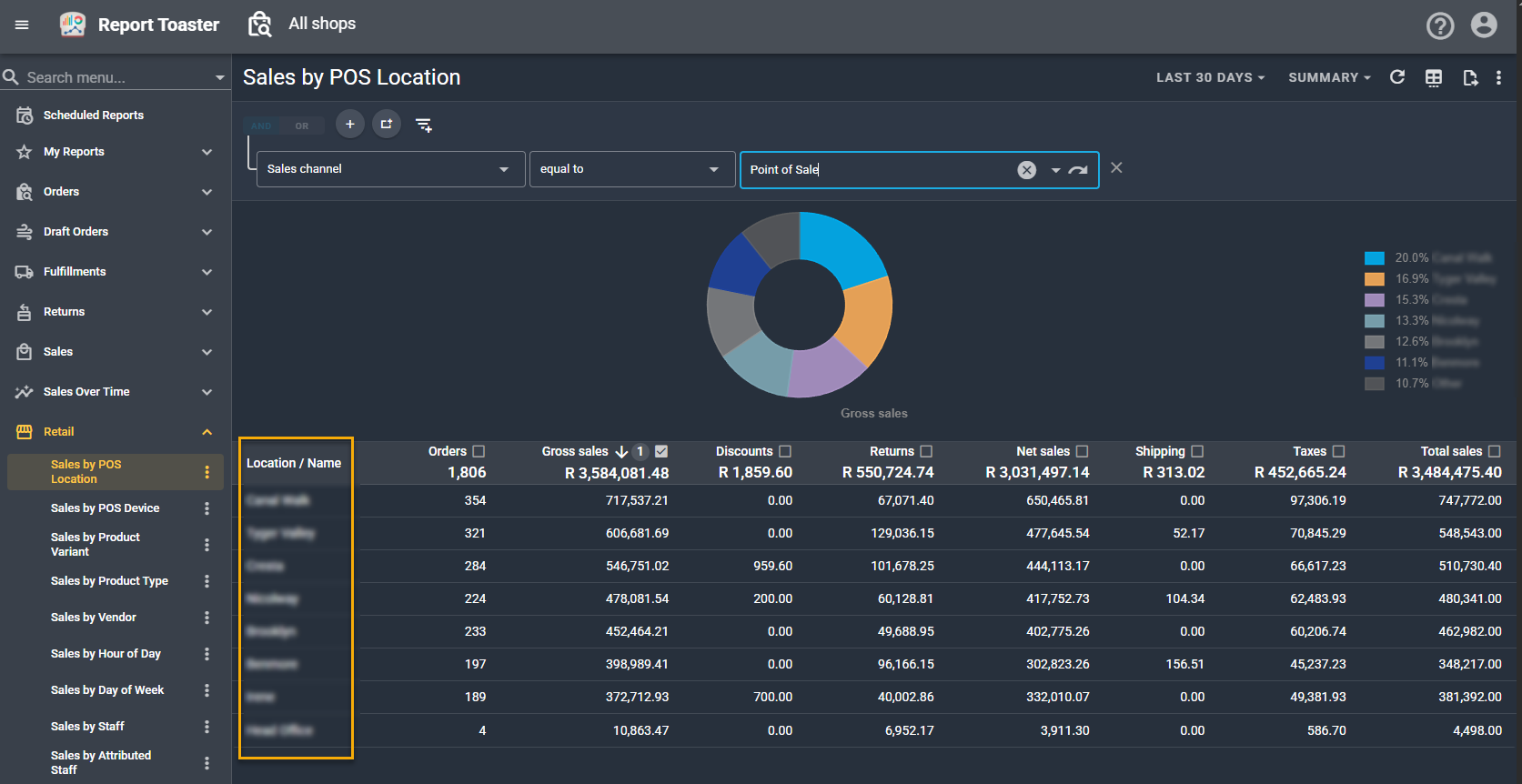
(click image to enlarge)
Fulfilled / Unfulfilled Quantity
Currently on our Sales reports, we've had three main quantity fields available:
- Quantity - The number of items sold on an order.
- Net Quantity - The number of items sold on an order, minus the number of items returned.
- Fulfillable Quantity - The number of items that still need fulfilling on an order.
To complete this set, we've now also added:
- Fulfilled Quantity - The number of items that have been fulfilled.
- Unfulfilled Quantity - The number of items that have not been fulfilled on an order.
As you can imagine, these fields are very handy to have when building custom reports.
For example, you could add them to Sales by Product and see, out of how many units sold, how many have been fulfilled or unfulfilled.
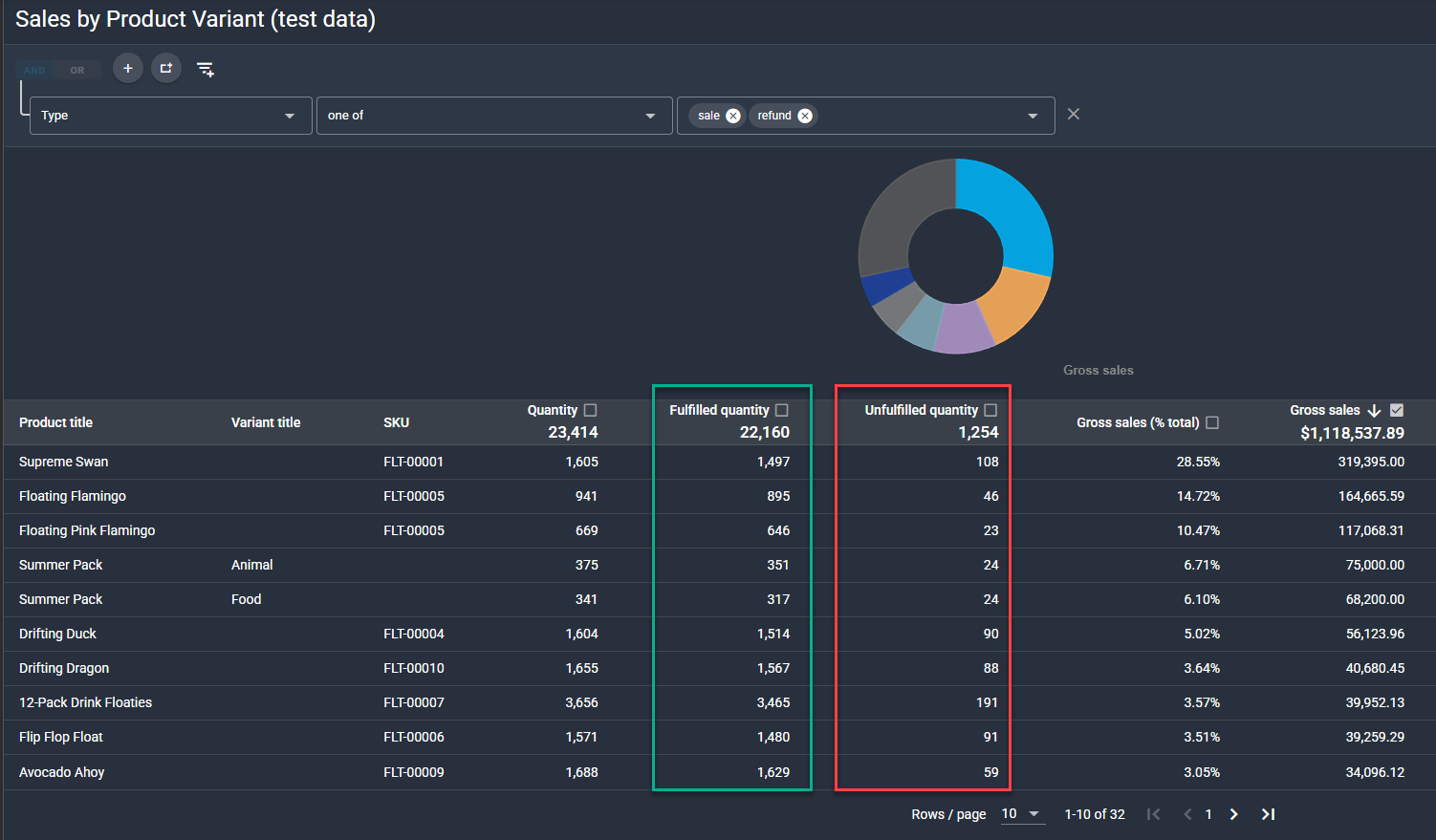
(click image to enlarge)
Finance Summary / Detail - Updated
Recently, Shopify overhauled the entire Finance Summary report and made some big changes:
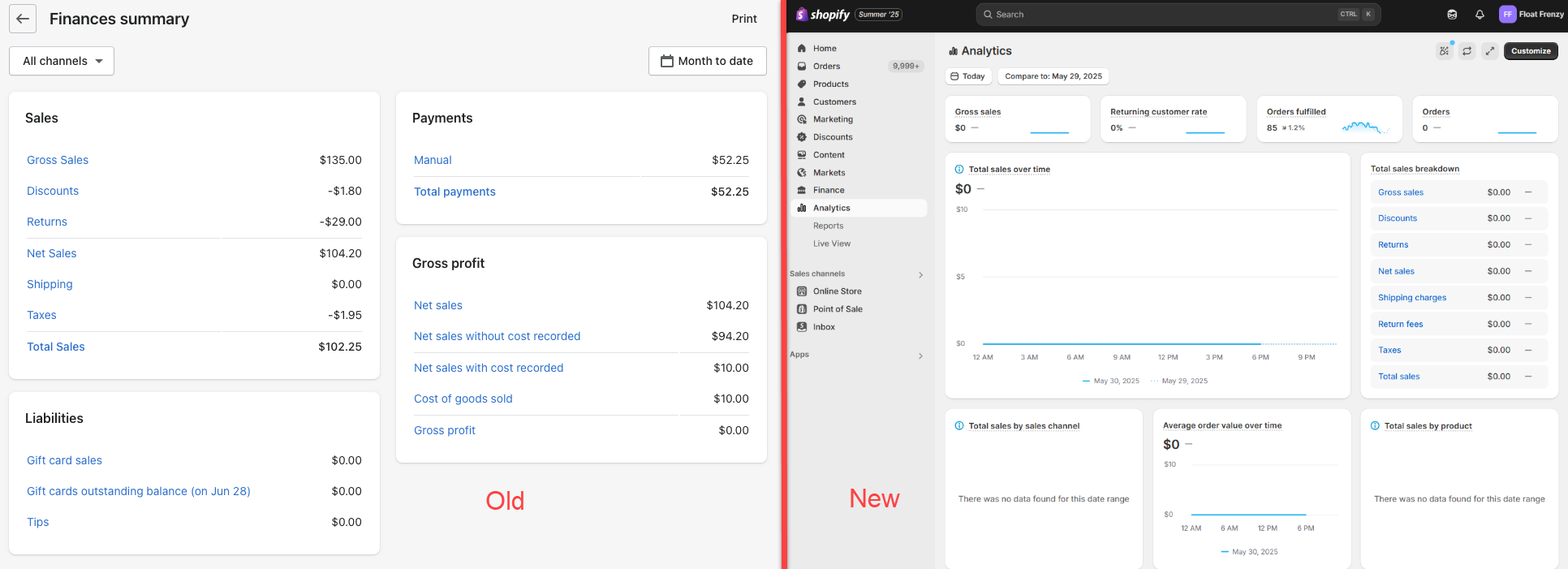
(click image to enlarge)
While many of the updates were well received, a lot of merchants have voiced their frustration with the new report, which is missing things like:
- Gift card sales
- Total payments (paid amount)
- Being able to print the report (with the info above)
We know that many of you rely on having this info in your snapshot view, so we've included these columns by default in our Finance Summary and Finance Detail reports:
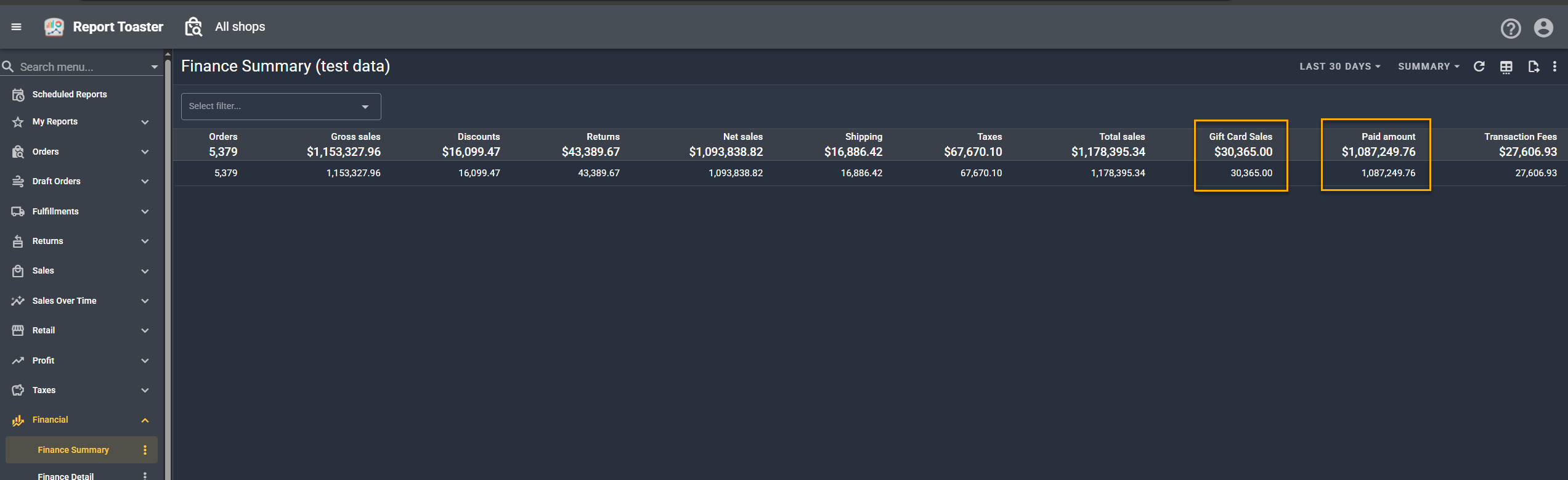
(click image to enlarge)
Note - COGS (Cost) and Profit columns can be added if desired (see here) and you can print this by following the directions here.
If you have any questions about these fields or would like help setting something up for your account, feel free to reach out to us at [email protected].
Until next time!